I am a recruiter
Illustrated guides to move at your own pace, from your first sign-in to your next hire.
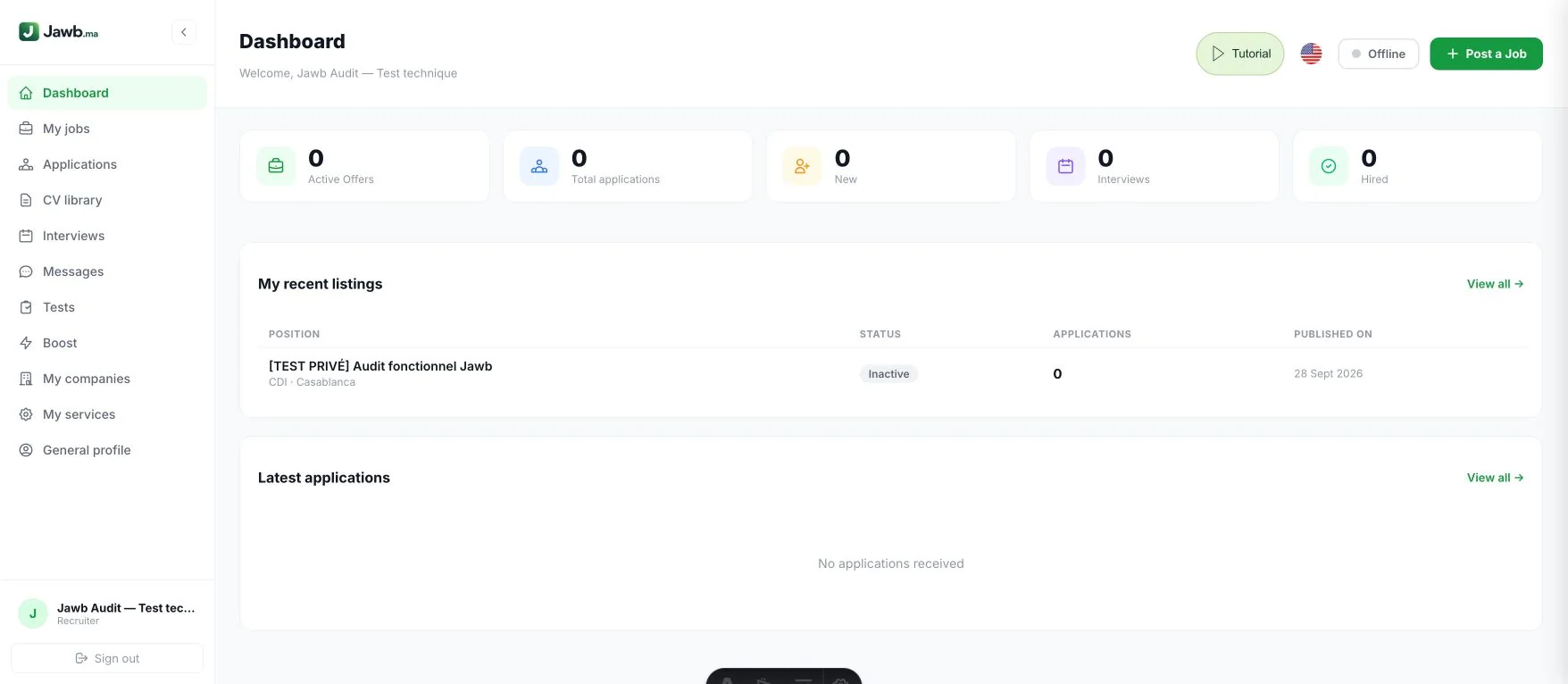
Manage your recruitment
The dashboard summarises active jobs, applications and recruitment stages. The menu opens jobs, applications, CV library, interviews, messages, tests, boosts, companies, services and profile. Reopen the Tutorial from the header.
Open this featureAll steps
Screenshots use a demonstration account with fictional data.
All steps
Manage your recruitment
The dashboard summarises active jobs, applications and recruitment stages. The menu opens jobs, applications, CV library, interviews, messages, tests, boosts, companies, services and profile. Reopen the Tutorial from the header.
Open this featureIdentify your company
Enter your actual company name in General profile, along with contact details and a description. Save your changes. A specific name is required to publish an identifiable job; “Company” alone is not enough. You can also prepare email templates and set your Facebook preference. Account type can only be changed once: read the consequences before confirming.
Open this featureManage several companies
In My companies, create and complete a profile for each company you represent. Select the correct company when publishing a job. Check its name and logo before sharing the listing.
Open this featurePublish a clear job listing
Choose Post a job and enter the company, profession, city, contract and application methods. The assistant can suggest a draft: review responsibilities, requirements and terms before confirming. Only publish accurate information.
Open this featureKeep listings up to date
My jobs lets you open, edit and manage listing visibility. Use the available actions to renew or deactivate a job and check its status afterwards. Close listings once a position has been filled. Import adds listings, while duplication reuses a listing in another city. AI screening helps review applications without replacing your decision. Facebook sharing depends on active Meta permissions.
Open this featureOrganise applications
Open Applications, filter by job and review each candidate. Update their stage in the tracking board, add useful information and use the relevant contact actions. Check the recipient before sending anything.
Open this featureExplore the CV library
Use CV library filters to search by profession or location. Review available profile information and attached CVs. Contact people only in connection with a relevant recruitment need.
Open this featureSchedule interviews
From an application in the Kanban board, prepare an invitation with the candidate, date, time and format. Add the location or meeting link and review before sending. Then check replies and upcoming meetings.
Open this featureKeep conversations organised
In Messages, select a conversation and reply to the relevant candidate. Mention the job and next step to avoid confusion. Email or WhatsApp conversations may remain in those external tools. The Online button in the header controls your live chat availability. Email templates created in General profile help you reply more quickly from applications.
Open this featurePrepare a screening test
Open Tests to create and manage questionnaires. Write questions relevant to the role, check expected answers and share the test with the intended candidates. Assess results alongside the rest of the application.
Open this featureChoose a promotion
In Boost, select an active job and compare the displayed options, prices and durations. Payment is completed on Stripe. Promotion starts after payment confirmation; it does not guarantee applications or hires. Each paid option includes automatic publication on the Jawb Facebook Page. The status shows whether it is published or pending; a previously shared job will not be posted twice. Standard posting is free and promotion is optional.
Open this featurePresent your services
In My services, use the available actions to create and manage your services. Describe the service, its terms and contact details clearly. Check the public listing after each change.
Open this feature